
Computer Facts for Kids Every Young Learner Should Know
Get young minds curious with fun and fascinating computer facts that explain how technology works in simple, kid-friendly ways.




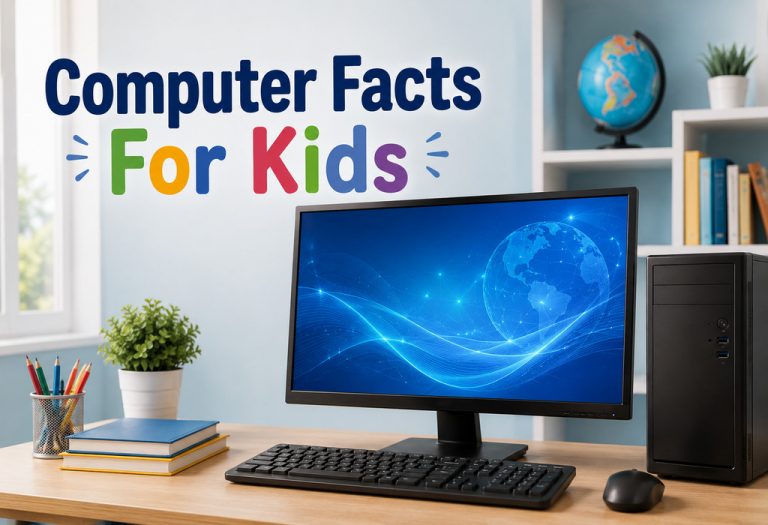
Image Source: AI-Generated Image
Children today grow up surrounded by screens, apps, games, and smart devices, but many of them never stop to wonder how these amazing machines actually work. That’s what makes learning about computers so exciting. Once kids understand the basics, technology stops feeling mysterious and starts becoming something they can explore, question, and even create with.
These computer facts for kids can help young learners build curiosity while also improving digital awareness in a world where technology touches almost everything we do. And honestly, some of these facts are so interesting that adults usually end up learning something new too.
What Are Computers?
A computer is an electronic device that receives data, processes it according to instructions, and produces useful information. It can perform many tasks such as calculations, storing data, browsing the internet, playing games, and running software applications. Computers work through hardware (physical parts like the keyboard, monitor, and processor) and software (programs and operating systems) (1). They are widely used in homes, schools, businesses, hospitals, and almost every field to make work faster, easier, and more accurate.
History of Computers
In the 19th century, Charles Babbage designed the Analytical Engine, which is considered the foundation of modern computers. Later, during the 1940s, the first electronic computers such as ENIAC were developed to perform complex calculations. Over time, computers evolved through different generations—from large vacuum-tube machines to smaller transistor-based systems, then integrated circuits, and finally modern microprocessor computers (2).
Today’s computers are faster, smaller, and more powerful, playing an essential role in communication, education, science, business, and entertainment.
Different Types of Computers
Computers have been developed in various sizes, speeds, and capacities to meet different needs in homes, schools, offices, industries, and scientific research. Some computers are designed for personal use, while others are built to handle large amounts of data and complex operations. Based on their purpose, size, and performance, computers are divided into different types, which are explained below (2).
1. Desktop
These computers stay on a desk and are often used at home schools and offices. They usually have a monitor keyboard and mouse.
2. Laptop
Laptops are easy to carry and can be used almost anywhere. Many students like them because they are simple to use for learning and homework.
3. Tablet
Tablets have touch screens and are popular with younger children. They are great for reading drawing watching videos and playing learning games.
4. Supercomputers
Supercomputers are extremely powerful machines that solve very big problems. Scientists use them to study weather space and medicine.
5. Smartphones
Smartphones are small computers that fit in a pocket. People use them every day for calls photos messages games and internet searches.
Components of a Computer
A computer is made of different parts that work together like a team. Each component has a special job that helps the computer run smoothly every day. Below is a list of the main components of a computer.
1. Monitor
The monitor is the screen that shows pictures videos games and school work. It helps users see everything the computer is doing.
2. Keyboard
The keyboard is used for typing letters numbers and commands. Children use it to write homework search online and play games.
3. Mouse
A mouse helps move and click items on the screen. It makes it easier to open apps draw pictures and choose different options.
4. CPU
The CPU is often called the brain of the computer. It processes information and helps the computer think and work quickly.
5. Speakers
Speakers play sound from videos music games and online classes. They help make learning and entertainment more enjoyable.
6. Printer
A printer copies computer work onto paper. Students often use printers for projects homework and colourful pictures.
How Do Computers Work?
Computers work by following a cycle called the input-process-output cycle. First, the computer receives data and instructions through input devices such as a keyboard, mouse, or scanner. Then, the Central Processing Unit (CPU) processes the data according to the given instructions. After processing, the computer displays the results through output devices like a monitor or printer (3). Computers also store data and information in memory devices so they can be used again later. All these parts work together to help the computer perform tasks quickly and accurately (1).
Uses of Computers in Everyday Life
Computers have become a helpful part of daily life for children and adults alike. People use them for learning working shopping talking and enjoying entertainment every single day. Many tasks that once took hours can now be completed much faster with the help of computers.
1. Education
Students use computers for online classes homework research and educational games. They make learning more interactive and fun.
2. Communication
Computers help people send messages make video calls and stay connected with family and friends from anywhere.
3. Entertainment
Children and adults use computers to watch movies listen to music play games and enjoy creative activities.
4. Shopping
Many families use computers to buy clothes groceries books and other items online from home.
5. Office Work
Businesses use computers to create documents store information and manage important tasks every day.
6. Healthcare
Doctors and hospitals use computers to keep patient records check reports and improve medical care for people.
Interesting Facts About Computer for Kids
Computers are full of surprising and fun details that many children have never heard before. Some facts sound almost unbelievable until kids learn how technology has changed over time. Reading these computer facts for children can make learning feel exciting instead of difficult or boring.
1. The first computers were as big as rooms and needed a lot of space to work (4).
2. Computers can only understand the numbers 0 and 1 which is called binary language (5).
3. The first computer mouse was made of wood and looked very different from modern ones (6).
4. A smartphone is also a type of computer because it can perform many computer tasks.
5. Millions of people around the world use computers every single day.
6. The QWERTY keyboard style has been used for many years and is still popular today.
7. Computers can solve difficult problems much faster than humans.
8. The internet connects computers from different countries in seconds.
9. Hospitals use computers to help doctors care for patients and manage records.
10. Video games are designed and created with the help of computers.
11. Laptops are portable computers that people can carry almost anywhere.
12. Computers help astronauts during important space missions.
13. Tablets use touch screens so children can tap and swipe easily.
14. Many robots use computers to follow instructions and complete tasks.
15. Computers can store thousands of photos videos and documents safely.
16. Artificial intelligence allows computers to learn and respond more smartly.
17. Schools use computers to make learning more interactive and creative.
18. Supercomputers are powerful machines used for science weather and research (7).
19. Coding is a special language that tells computers what actions to perform.
20. Computers continue to improve every year and become faster and more useful for people everywhere.
Computers have become an important part of everyday life for children and adults around the world. Learning how they work can help kids feel more confident curious and creative while using technology. Simple knowledge about computers today can inspire children to become future inventors programmers designers or scientists tomorrow. Most importantly learning about technology should always feel fun engaging and full of discovery for every child.
Also Read:
Interesting Facts About Airplane for Kids
Essay On Veer Bal Diwas – 10 Lines, Short and Long Essay for Children and Students
Verbs That Start With O in English (With Meanings & Examples)
Was This Article Helpful?
Parenting is a huge responsibility, for you as a caregiver, but also for us as a parenting content platform. We understand that and take our responsibility of creating credible content seriously. FirstCry Parenting articles are written and published only after extensive research using factually sound references to deliver quality content that is accurate, validated by experts, and completely reliable. To understand how we go about creating content that is credible, read our editorial policy here.
1. Jordan University of Science and Technology – Introduction to Computer
2. Encyclopedia Britannica – computer
3. Smart Shiksha – Definition and Characteristics of Computer
4. University of Auckland – When was the first computer invented?
5. Encyclopedia Britannica – binary code
- Author








.svg)